EasyBiz user guide
Welcome
New reservation
Manage
Administrator
Invite, approve, and delete users
The "Manage users" portion of EasyBiz gives the administrators a quick overview of member details from a central management screen. This section may only be accessed by the assigned administrators. From the "View users" area of EasyBiz, the administrator can manage your company membership including invites, updates, and deletions. The "Assign credit cards" link next to each user lets an administrator assign a company credit card to that user, and shows which credit cards are already assigned.
EasyBiz Administrators can invite, edit, and delete users and alternate administrators.
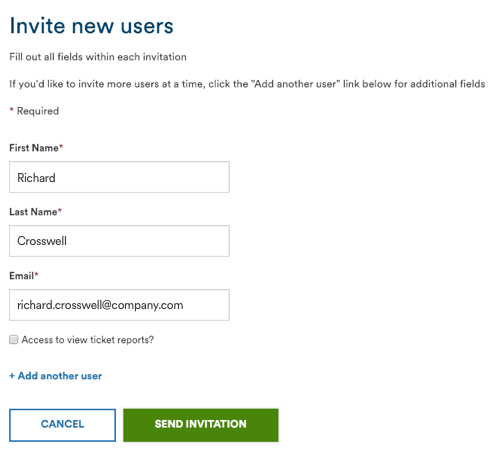
- Invite users: Send new users an invitation to become an EasyBiz user. Invites can be sent individually, or to multiple users at once.
- Invite alternate: Send an active EasyBiz user an invitation to become an alternate administrator.
- Edit: Select users that can be given access to ticket reports.
- Approve: Once the new user has accepted the invitation, approve their access to EasyBiz.
- Manage users Once a new user has accepted an invitation, the Administrator that sent the invitation will receive a confirmation email that the user has joined EasyBiz. The new user will then be listed as an active user on the Manage user dashboard.